
Download PaperGen – AI Writing Assistant, Academic Paper Generator, Free Trial
Overview & Core Capabilities
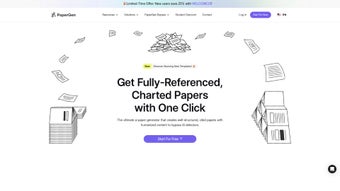
PaperGen is a cloud‑based, AI‑powered writing assistant that targets students, researchers, marketers, and anyone who needs to produce high‑quality text quickly. By leveraging large‑language models and a curated knowledge base, the platform can generate outlines, suggest citations, and even format documents in real‑time. What sets PaperGen apart is its dual focus on structure and storytelling: the AI not only assembles facts but also weaves them into compelling narratives, making academic papers feel less mechanical and blog posts more engaging. The subscription model includes unlimited projects, regular algorithm updates, and access to a library of templates that align with major citation styles such as APA, MLA, and Chicago. Whether you are drafting a dissertation, a conference abstract, or a marketing article, PaperGen promises to reduce the research‑to‑write gap by up to 50 %.
Key Benefits
- AI‑driven outline generation that maps logical flow before the first paragraph is typed.
- Integrated graph and chart builder for visual data representation.
- Storytelling mode that transforms dry sections into reader‑friendly narratives.
- Real‑time citation suggestions linked to open‑access databases.
- Secure cloud storage with end‑to‑end encryption for all drafts.
Target Audience
From undergraduate students scrambling to meet deadlines to senior analysts polishing white‑papers, PaperGen’s flexible interface adapts to varied skill levels. The platform also offers collaboration tools that let multiple authors edit a single document simultaneously, a feature especially useful for research teams spread across different time zones.
Installation, Usage & Compatibility
PaperGen is delivered as a web application, which means there is no traditional “install” step on your desktop. Simply visit papergen.com, create an account, and you’re ready to start writing. For users who prefer a native feel, the service offers progressive web app (PWA) support on Windows, macOS, Android, and iOS. Adding PaperGen to your device’s home screen gives you offline access to previously saved drafts and a desktop‑like windowed experience.
Step‑by‑Step Onboarding
- Navigate to the website and click “Start Free Trial”.
- Enter your email, set a secure password, and confirm your account via the verification link.
- Choose your subscription tier (Student, Professional, Enterprise).
- Complete the short onboarding questionnaire—keywords, preferred citation style, and writing goals.
- PaperGen instantly builds a personalized knowledge hub and suggests a first‑draft outline.
Operating System Support (Windows 10+, macOS 11+, Android 8+, iOS 13+)
The PWA works across all major browsers—Chrome, Edge, Safari, and Firefox. Because processing happens on PaperGen’s servers, even low‑end devices can enjoy the full AI experience without lag. Updates are rolled out automatically; users receive new features and model improvements without needing to download patches.
Usage Tips for Maximum Efficiency
- Leverage the “Keyword Bank” to feed domain‑specific terms; the AI will prioritize those in content generation.
- Use the “Storytelling” toggle for sections like introductions or conclusions to add rhetorical flair.
- Enable “Auto‑Format” to keep headings, bibliography, and figure captions consistent with your chosen style guide.
Pros & Cons, FAQ, and Structured Review
Pros
- Powerful AI that creates outlines, citations, and visual elements in seconds.
- Cross‑platform access via web and PWA ensures you can write anywhere.
- Secure cloud storage with GDPR‑compliant encryption.
- Continuous model updates keep the tool current with academic standards.
- Collaboration mode supports real‑time multi‑author editing.
Cons
- Requires an internet connection for full functionality; offline mode is limited to saved drafts.
- Subscription pricing may be steep for occasional users.
- Learning curve for the advanced “Storytelling” feature.
Frequently Asked Questions
Can PaperGen generate references for paywalled journals?
PaperGen accesses open‑access databases and DOI lookup services. For paywalled sources, it can still format citations if you provide the bibliographic details manually.
Is there a free version or trial?
Yes, a 7‑day free trial is available with access to all core features. After the trial, you can choose a monthly or annual subscription.
How does PaperGen ensure academic integrity?
The tool includes a plagiarism checker that scans generated content against major repositories. It also encourages proper citation by suggesting source links as you write.
Can I export my document to LaTeX or Word?
Export options include .docx, .pdf, and .tex (LaTeX). Formatting is preserved, and you can download directly from the project dashboard.
What support channels are available?
Subscribers get 24/7 email support, a live chat widget, and access to a community forum where power users share templates and tips.
Conclusion & Call to Action
PaperGen bridges the gap between research and writing by providing an AI engine that understands both structure and storytelling. Its cloud‑first design guarantees that you can start a draft on a laptop, continue on a tablet, and polish on a phone without losing any functionality. Although a stable internet connection is essential for the most advanced features, the occasional offline edit is still possible thanks to the PWA’s local cache. For students aiming to meet tight deadlines, professionals looking to streamline report generation, or bloggers wanting richer narratives, PaperGen offers a balanced suite of tools that justify its subscription price.
If you’re ready to experience faster drafting, smarter citations, and visually engaging documents, click the button below to start your free trial. Unlock the full potential of AI‑assisted writing and let PaperGen handle the heavy lifting while you focus on insight and creativity.



.png)



